WAPP / Subway Simulator: Prague
WAPP — building a simulator and the tools behind it
Subway Simulator: Prague is a mobile-first revival of my earlier released subway games, with reusable generation tooling and an iterative asset workflow at the heart of current development.
External links
Where the subway simulation work began
WAPP began as my own software and game work. The historical phase, from April 2015 to January 2021, included building and operating mobile subway simulators as public products. This is the period of my work, rather than a release date for either game.
I took the products from the initial idea through gameplay implementation, mobile UI and controls, station and route environments, release on Google Play and subsequent operation. Iterative product development connected the simulation itself with the experience of playing it on a phone.
Subway Simulator Prague Metro
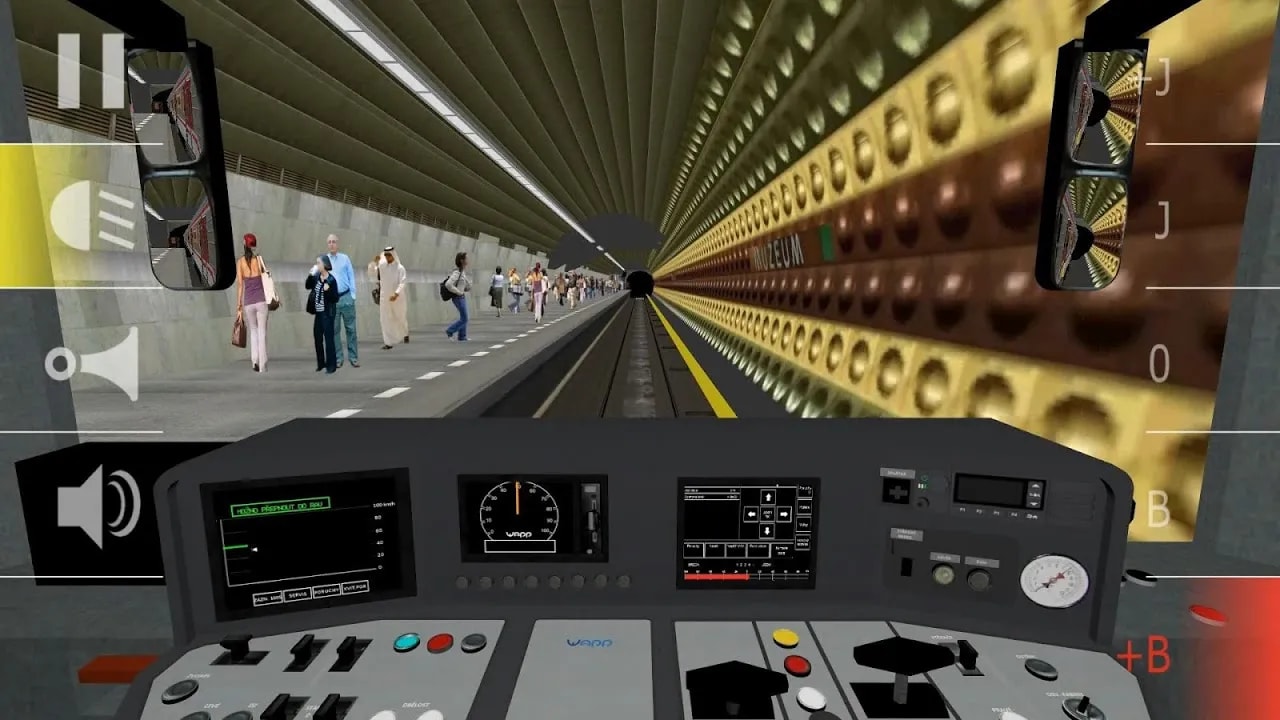
Subway Simulator Prague Metro was a released Android game on Google Play, built in Unity and C#. Driving gameplay, mobile controls and the stations, routes and surrounding environment were parts of one product: a subway simulation made to be played on a phone.
The historical gameplay view below shows that product in use, with a cab view, station environment and on-screen controls. It belongs to the earlier released generation.
Subway Simulator New York
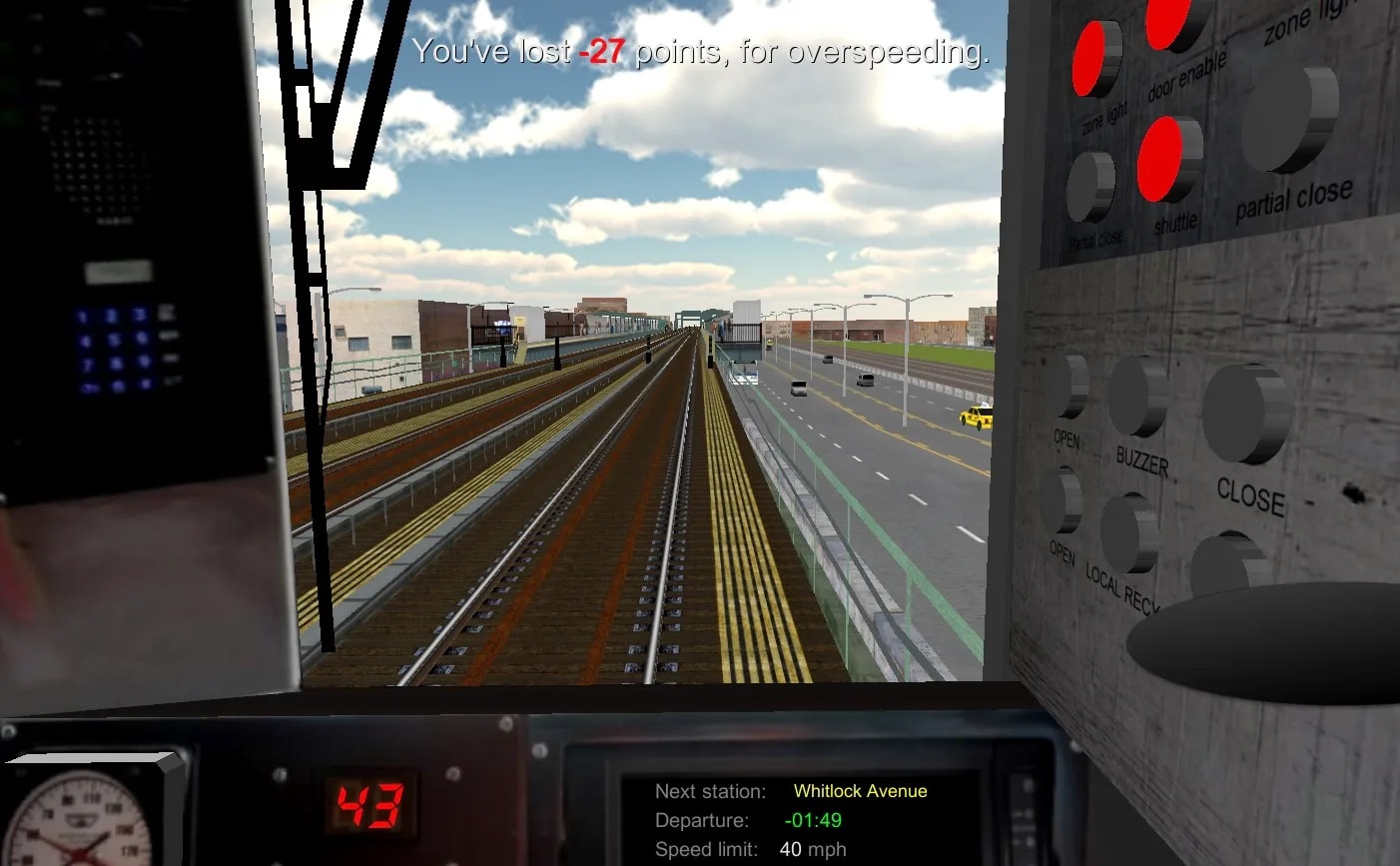
Subway Simulator New York was another released Android subway game on Google Play, also built in Unity and C#. It combined simulation and driving gameplay with mobile UI, controls and work on station and route environments. The elevated route in the screenshot offers a different setting from Prague’s underground station.
Historical reach and product experience
These were shipped and operated mobile products, rather than isolated experiments. Building them end to end gave me experience across gameplay, content creation, mobile interaction and public release.
The figures below are historical Google Play downloads for those two older titles. They do not describe the audience of the current Subway Simulator: Prague.
- Subway Simulator Prague Metro
- 1,700,000+historical Google Play downloads
- Subway Simulator New York
- 200,000+historical Google Play downloads
Earlier released simulators
Two gameplay views from the released Android generation: the Muzeum station in Subway Simulator Prague Metro and an elevated route in Subway Simulator New York.
A pause in active simulator development
Active development of the earlier simulators later stopped. A pause separated that generation from my return to the idea in 2026. The products share a lineage, but their development was not continuously active throughout those years.
Revival in 2026: Subway Simulator: Prague
Subway Simulator: Prague is a new generation, revived in 2026 and in active development since then. It is mobile-first, using Unity and C#, with product ownership, implementation and development tooling in my hands.
I returned with experience from shipping the earlier games and a more systematic approach to building content. This phase brings the environment and the means of creating it into the same engineering problem. Repeated infrastructure calls for configurable tooling; assets still need geometry, materials and visual iteration. The current generators and asset workflow are part of this new development phase.
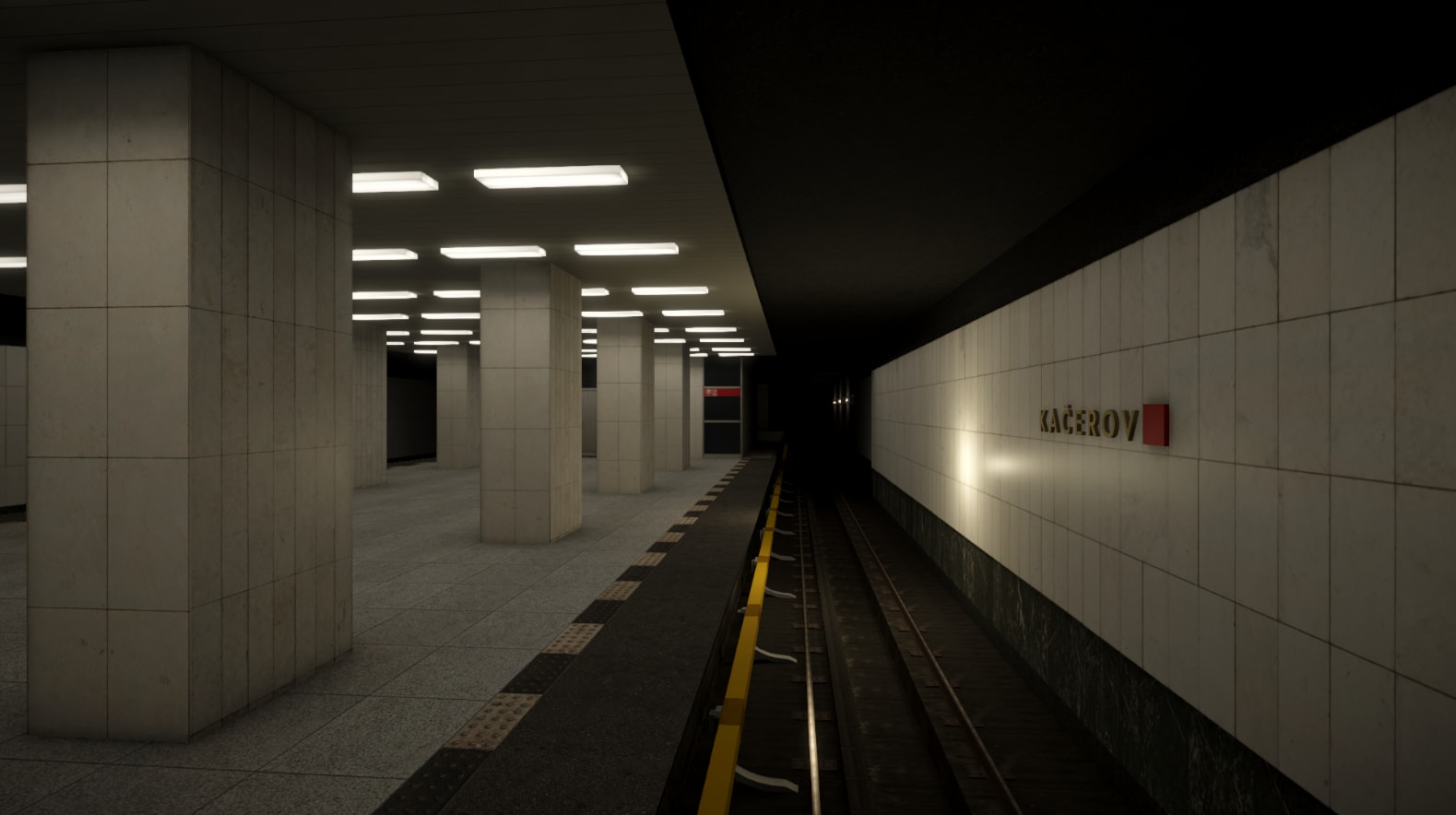
Kačerov in the current Subway Simulator: Prague. This in-game view belongs to the new development phase begun in 2026.
The problem with building every repetition by hand
Manually building tens of kilometres of tunnels is not a sensible workflow. Tunnel forms, tracks, cables, holders and related infrastructure repeat over long distances. Individually modelling and placing that structure would mean repeated duplication, repetitive edits and more opportunities for inconsistency.
A later change to a repeated pattern becomes expensive when each occurrence is independently authored. The useful engineering question is which patterns can be expressed once through parameters and rules, while leaving room for exceptions.
Configurable generation, with manual control retained
- Decision
- Replace large amounts of repeated tunnel and infrastructure construction with parameterized, reusable generation tooling.
- Rationale
- The alternative was continuing to model, duplicate and place repeated structures manually over long distances.
- Configuration keeps recurring structures consistent and makes changes to a repeated pattern more manageable.
- Generated sections create opportunities for coherent optimization of larger units instead of treating every element as separately hand-placed content.
- Trade-offs
- The generator itself takes more design effort and introduces its own complexity.
- Transitions, boundaries and edge cases need explicit rules rather than being left to individual placement.
- The system must remain flexible enough for exceptions and manual correction.
Generation handles the repeated structure. Manual work remains part of the workflow wherever an exception, correction or visual adjustment needs it.
A conceptual development workflow
The sequence shows how authored parameters become generated infrastructure and return to visual and technical iteration in Unity. It is a conceptual workflow, not a complete internal architecture diagram.
- Authored parameters
- Generation tooling
- Tunnel / track / infrastructure
- Unity scene
- Iteration and testing
Implemented tooling, close to the Unity scene
The current generator supports parametric tunnel segments, square and round variants, and transitions between tunnel forms. Generated track and related infrastructure include the power rail, with manual start and end offsets where needed.
Cable generation is segmented, with cable and sag variants, holders, holder placement at relevant boundaries and rules that constrain repetition. Those details turn a repeated visual pattern into a system that has to account for how adjoining pieces meet.
The tooling supports rapid iteration inside Unity. Working from parameters makes repeated construction more consistent while keeping scene-level control available. Mobile-first development also makes coherent handling of larger generated sections a useful optimization opportunity; no runtime performance gain is claimed here.
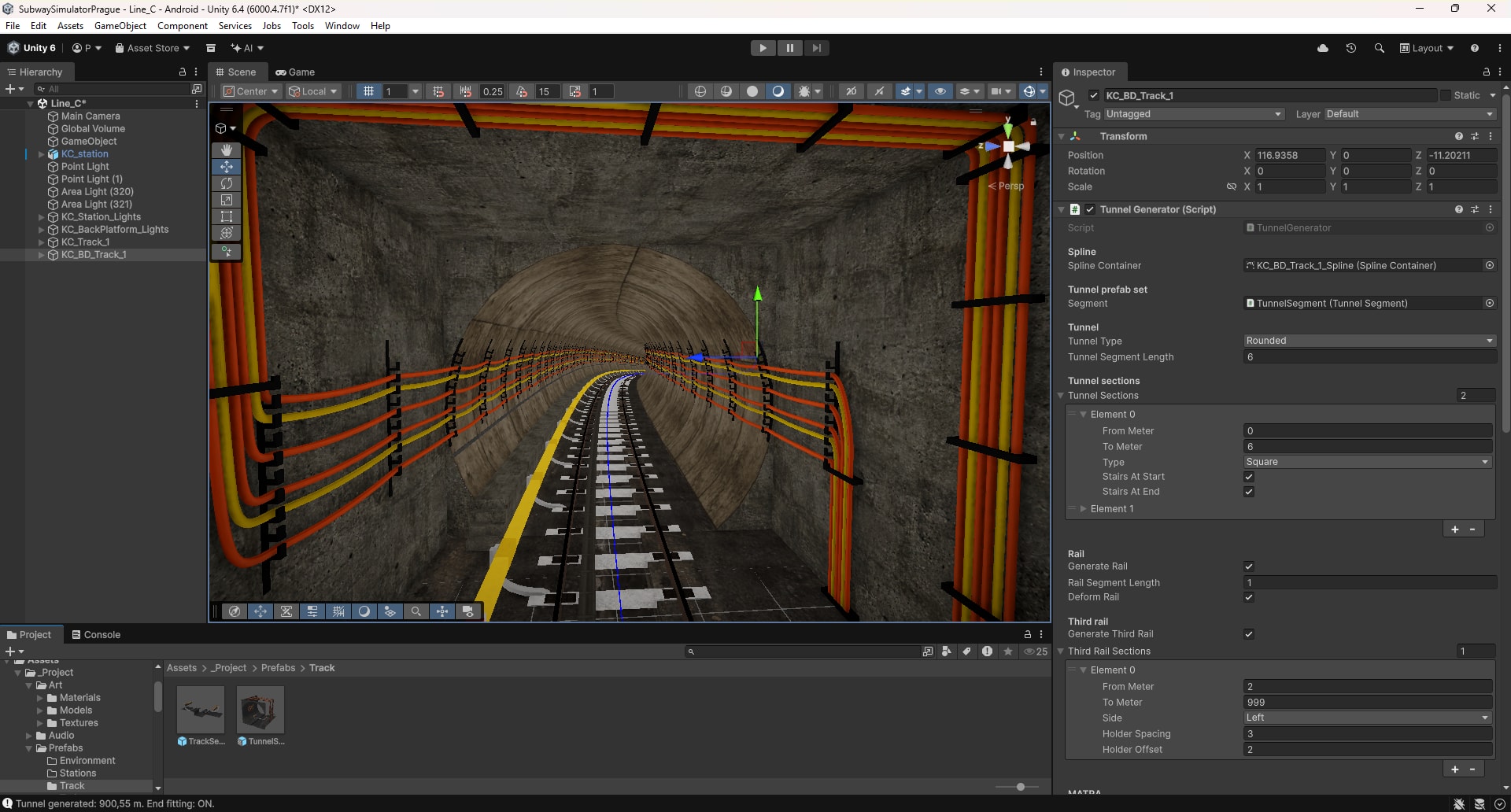
The Unity editor view brings generator settings and the resulting tunnel scene together, supporting visual and technical iteration.
Practical 3D work that keeps development moving
I can handle enough 3D work myself to prepare assets, adjust geometry and materials, and avoid blocking development on every small change.
This is basic, practical asset work: historically in SketchUp, currently in Blender. It includes geometry corrections, asset preparation, materials and textures. AI-assisted texture enhancement and upscaling help with preparation, followed by small corrective edits in GIMP where needed.
That capability keeps small asset changes within the development loop. The Blender station model is one part of the same process as the generated infrastructure and the scene in Unity.
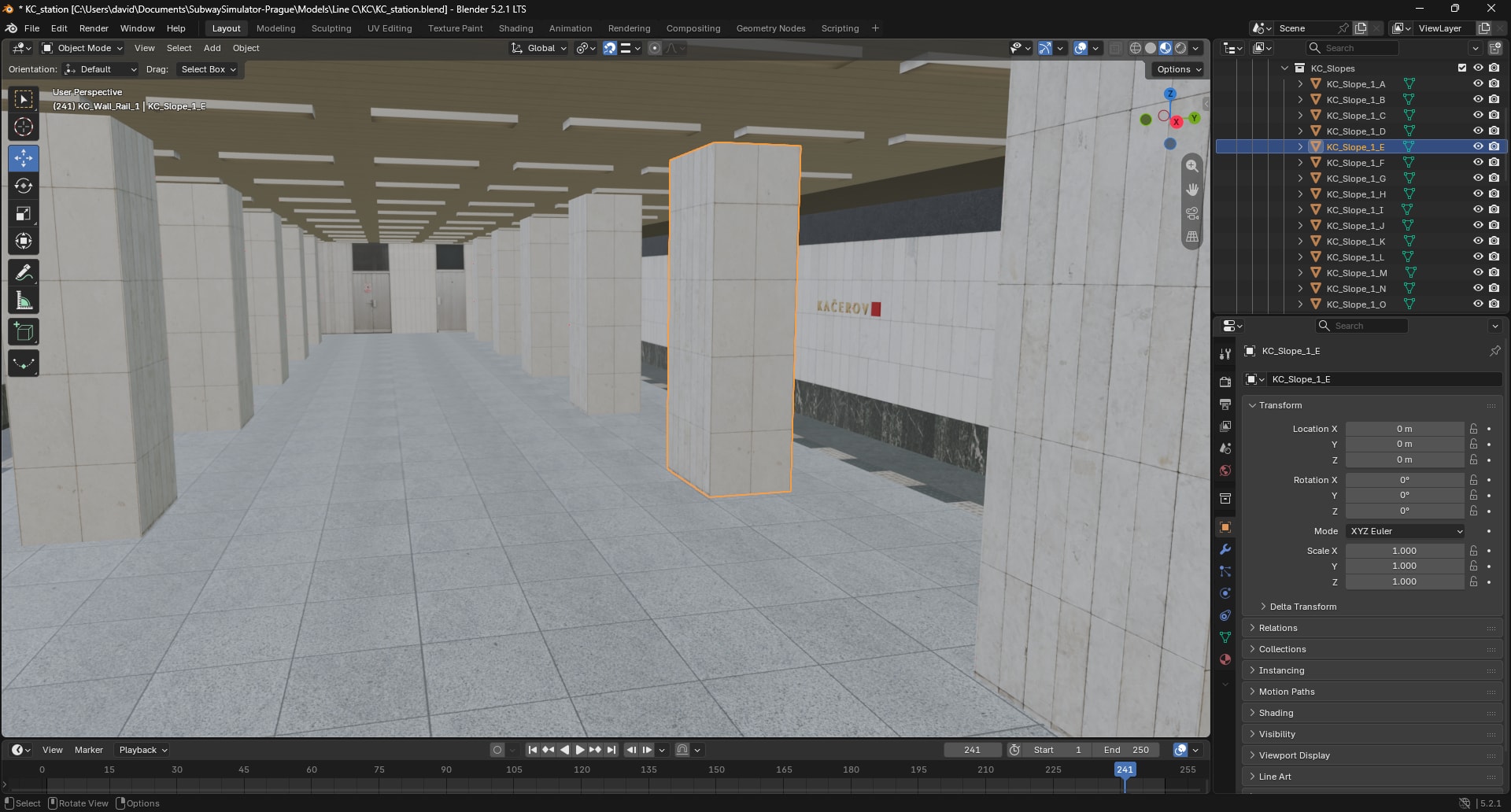
Station asset preparation in Blender, alongside the tooling and in-game environment shown elsewhere in this story.
AI assistance in the current development phase
AI contributes to current problem decomposition, coding and implementation assistance, with review and testing support where applicable. It also assists texture enhancement, upscaling and asset preparation.
These uses belong to the current development workflow. They are not attributed to the historical WAPP releases. Product decisions, tool behavior and the resulting scene still require engineering judgment and iteration.
Current state
The current Subway Simulator: Prague remains in active development. The generation and tooling foundation exists, and the project continues to be iterated.
The evidence here shows complementary parts of that work: an in-game station, infrastructure generation in Unity and asset preparation in Blender. Together they explain the current development approach and the systems being built around the simulator.
Engineering takeaways
This work reinforces three practical lessons that connect product ownership with the means of building the product.
- Formalize repeated patterns before multiplying them throughout a scene.
- Reusable tooling needs explicit boundary rules and room for manual control.
- Enough in-house asset capability helps keep visual and technical iteration connected.